Sa’adatu Rimi College of Education (SRCOE) Kano Opens 2025 Post-UTME Application for NCE Programmes
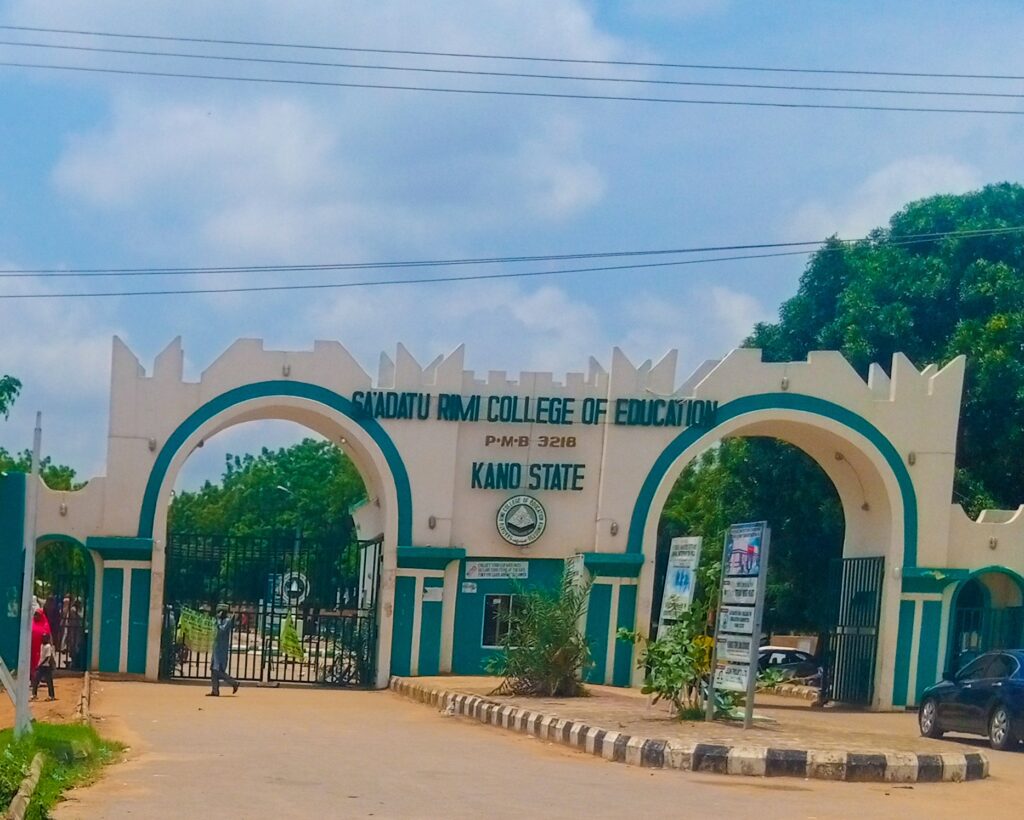
The Sa’adatu Rimi College of Education (SRCOE), Kano, has officially opened its Post-UTME application for the 2025/2026 academic session. This is a golden opportunity for all candidates seeking admission into the National Certificate in Education (NCE) programmes to kick-start a rewarding career in teaching.
Whether you’re fresh out of secondary school or aiming to build a career in education, this is your chance to take the next step. Here’s everything you need to know.
How to Apply for SRCOE Kano 2025 NCE Admission
Step 1 – Begin Your Application
Visit the official SRCOE application page.
Create a profile using a username and password you’ll remember for future logins.
Step 2 – Generate Your Payment Invoice
Once your profile is set up:
- Generate a Remita invoice
- Choose to pay online or print the invoice and pay at any commercial bank.
Step 3 – Choose Your Department
Before submitting your application, take time to explore available departments via the “Schools and Departments” section on the college website.
Step 4 – Resume Application Anytime
You can pause and resume your application at any time by logging in with your username and password through the Application Login link.
Step 5 – Upload Required Documents
After payment, you’ll need to:
- Upload a recent passport photo
- Provide your academic details
- Submit other relevant documents
Once complete, print your Acknowledgement Letter and Payment Receipt.
What Happens Next?
Stay glued to your dashboard and the “Latest News” section on the SRCOE website. Screening dates and further updates will be announced there.
At the screening, bring your original documents for verification. After that, monitor your dashboard for your admission status.
If You’re Offered Admission
Once admitted, follow these important steps:
- Pay a ₦1,500 acceptance fee
- Download your Admission Letter
- Visit the Student Affairs Unit for your Registration Payment Clearance Form
- Log in again to generate a new Remita for your registration fee
- Pay online or at the bank, then print and verify your payment receipt
- Head to the Academic Office to receive your Admission Number
Course Registration Process
- Log into your account
- Click Course Registration
- Select your courses
- Click “Done Adding Courses”
- Print your Semester Form and Exam Card
- Submit a copy to your Level Coordinator
A Smart Tip for Applicants
While it’s advised that students handle their application and registration personally, a trusted business centre can assist if needed.
Need Help?
- Address: 11KM Along Zaria Road, Kano
- Phone: 09063323331
- Email: [email protected]
- Website: www.srcoe.edu.ng
You may also like to read: Azman University Kano Opens 2025/2026 Admission Portal for UTME & Direct Entry Students


