JAMB Admission Letter 2026: Check & Print on CAPS
Learn exactly how to check and print your JAMB admission letter 2026 on the CAPS portal in 6 simple steps. Complete guide for Nigerian UTME candidates with tips on what each status means and what to do after printing.

The moment you’ve been waiting for has arrived—your JAMB admission letter 2026 is now available on the Central Admissions Processing System (CAPS) portal. However, simply checking that you’ve been offered admission isn’t the end of the story. You need to know the exact steps to access, accept, and print your admission letter before your institution’s registration deadline. This guide walks you through everything you need to do right now.
What is the JAMB CAPS Portal and Why It Matters
The Joint Admissions and Matriculation Board (JAMB) uses the Central Admissions Processing System (CAPS) to manage all university admissions in Nigeria. Unlike the old system, CAPS is where you’ll now find your admission status, accept your offer, and print your official admission letter. This document is critical—many institutions won’t let you complete registration without it. Therefore, understanding how to navigate CAPS properly is essential for every UTME candidate.
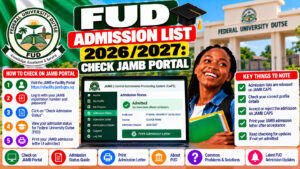
6 Steps to Check and Print Your JAMB Admission Letter 2026
Follow these steps carefully to access your admission letter:
- Log into your JAMB profile: Visit the official JAMB portal and enter your registration number and password.
- Click on “Check Admission Status”: This option appears on your dashboard once you’re logged in.
- Select “Access My CAPS”: This takes you to the Central Admissions Processing System where your offer is listed.
- Review your admission offer: Check which university, faculty, and course you’ve been admitted into. Ensure all details are correct before proceeding.
- Accept your admission: Click the acceptance button on the CAPS portal. This is a mandatory step—without acceptance, you cannot print your letter.
- Print your admission letter: Once accepted, a “Print Admission Letter” button will appear. Click it to download and print your official document.
Important Tips for Checking Your JAMB Admission Letter
If you’re using a phone, you may struggle to see the full CAPS page. Switch to desktop mode on your mobile browser for a better experience. Furthermore, keep multiple printed copies of your admission letter—one for submission to your institution, one for your personal records, and one as a backup. In addition, save a digital copy on your email or cloud storage in case you need it later during your academic journey.
According to JAMB’s official guidance on checking admission letters, candidates must accept their offers on CAPS before they can proceed with printing. This ensures that universities have confirmed acceptances from all admitted students.
What the Different CAPS Status Messages Mean
When you check your status on CAPS, you may see different messages. “Admission Offered” means you’ve been accepted—you can proceed to step 5. “Awaiting Confirmation” means the university is still processing your application. “Not Admitted” unfortunately means you didn’t make the cut for that programme. JAMB CAPS status meanings explained provides more detailed information about each status type.
Additionally, remember that your admission letter is valid only after you’ve accepted it on CAPS. Many institutions won’t recognise letters from candidates who haven’t formally accepted their offers on the portal, so don’t skip this critical step.
After You Print Your Admission Letter: What Comes Next?
Once you have your printed admission letter, contact your university’s admissions office to confirm registration dates and requirements. Some institutions may ask for additional documents like your O’Level result slip, birth certificate, or proof of address. Therefore, start gathering these documents immediately so you don’t miss any deadlines. UTME registration process after admission has more information about post-admission steps.
Frequently Asked Questions About JAMB Admission Letter 2026
Can I print my JAMB admission letter without accepting on CAPS?
No. JAMB explicitly requires you to accept your admission on the CAPS portal before the “Print Admission Letter” button becomes active. Skipping the acceptance step will prevent you from printing your letter.
What if my CAPS status shows “Awaiting Confirmation” and not “Admission Offered”?
This means your university is still reviewing your application. Check back regularly on CAPS—do not assume you’ve been rejected. Most “Awaiting Confirmation” statuses resolve within a few days to weeks.
Is my JAMB admission letter valid if I haven’t printed it yet?
Your admission is valid once CAPS shows “Admission Offered” and you’ve accepted it. However, most institutions require the printed letter for official registration. Print it as soon as possible to avoid delays.
Your next step is simple: Log into JAMB CAPS right now using your registration number and check your admission status. If you’ve been offered admission, follow all six steps above to print your letter immediately. Share this guide with your friends and classmates who are also checking their admission status—they’ll appreciate the clarity. Good luck with your university journey!