JSUMAHS Admission List 2026/2027: Check Status & Accept Offer
The JSUMAHS admission list 2026/2027 is now available on JAMB CAPS. Learn how to check your status, accept or reject your offer via CAPS or SMS, and understand what each admission message means in this complete guide.
The JSUMAHS admission list 2026/2027 has been released through JAMB CAPS, and candidates who participated in the screening exercise can now check their admission status. Jigawa State University of Medical and Allied Health Sciences (JSUMAHS), located in Majia, has made the provisional admission list available for the new academic session. If you’re waiting to hear whether you’ve been admitted, this guide will walk you through checking your status, accepting or rejecting your offer, and understanding what each admission message means.
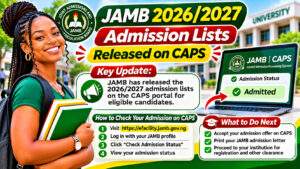
How to Check Your JSUMAHS Admission Status on JAMB CAPS
Checking your admission status is straightforward and takes just a few minutes. Here’s the step-by-step process:
- Visit the JAMB e-Facility portal
- Log in using your JAMB username and password
- Scroll down and click Check Admission Status
- Select Access my CAPS
- Open Regular Admission Status to see your JSUMAHS offer
Remember that admission lists may be uploaded in batches, so if you don’t see your status immediately, check back regularly over the coming days.
How to Accept or Reject Your JSUMAHS Admission Offer
Once you receive an admission offer, you have two options for responding: through JAMB CAPS or by SMS.
Accept or Reject on JAMB CAPS
Simply log back into your JAMB CAPS account and accept or reject your offer directly on the portal. This is the most straightforward method and provides instant confirmation.
Accept or Reject by SMS
Alternatively, send a text message with either ACCEPT or REJECT to 55019 or 66019 using the phone number registered with JAMB. Important: You must have at least ₦50 in main airtime (not borrowed airtime or Xtra Credit) to use this option.
After accepting, your CAPS status will change to “Congratulations, you have ACCEPTED your admission.” You can then proceed to print your JAMB admission letter.
Understanding JAMB CAPS Admission Messages
Admission messages can sometimes be confusing. Here’s what each one means:
- “Congratulations, your admission has been APPROVED by JAMB:” JAMB has officially approved your admission. You can now accept or reject the offer on CAPS.
- “You have been PROPOSED for admission by your institution:” JSUMAHS has recommended you, but the offer is still awaiting JAMB’s final review.
- “NOT ADMITTED:” You haven’t received an offer yet. Your application may still be under review, so check back later for updates.
What to Do About Programme-Transfer Offers
Some candidates may receive a proposed transfer to a different programme. If this applies to you, you can respond to the transfer offer directly through JAMB CAPS. Read the offer carefully before accepting or rejecting.
JAMB CAPS guide for complete instructions
Frequently Asked Questions About JSUMAHS Admission 2026/2027
Can I accept my JSUMAHS admission offer without data or internet access?
Yes! If you don’t have internet access, you can send an SMS with “ACCEPT” or “REJECT” to 55019 or 66019 using your registered phone number. Just ensure you have at least ₦50 in main airtime. However, the JAMB CAPS method is faster and more secure.
When should I expect my JSUMAHS admission status to appear on JAMB CAPS?
Admission lists are released in batches over several days or weeks. If your status isn’t showing yet, don’t worry—check back regularly. You’ll see one of three messages: approved, proposed, or not admitted. Keep checking until you get your final status.
What happens after I accept my JSUMAHS admission offer?
After accepting, your CAPS status will update to “Congratulations, you have ACCEPTED your admission.” You can then print your admission letter, which you’ll need for registration and other administrative processes at JSUMAHS.
Final Thoughts
Receiving your admission offer is an exciting milestone! Therefore, make sure to respond promptly to avoid any complications with your registration. Keep your JAMB credentials safe, check CAPS regularly, and don’t hesitate to visit the JAMB e-Facility portal if you have additional questions.
Ready to check your status? Head over to the JAMB e-Facility portal now, log in, and find out if you’ve been admitted to JSUMAHS. If you found this guide helpful, share it with fellow candidates and friends who are also waiting for their admission results. Good luck!