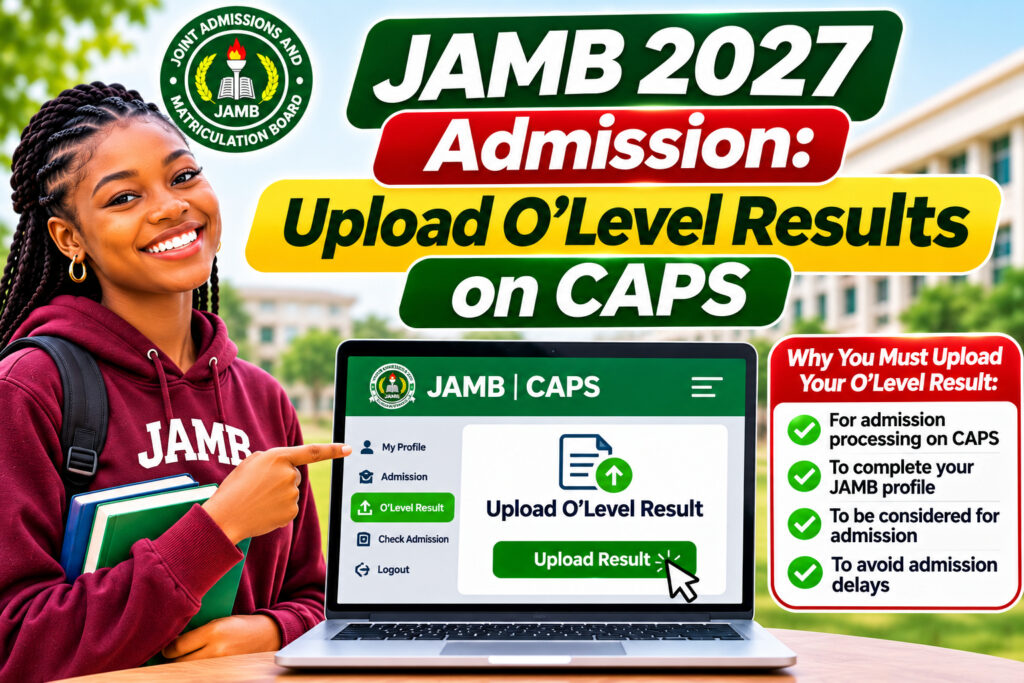
JAMB 2027 Admission: Upload O’Level Results on CAPS
Learn how to successfully upload your O’Level results on JAMB CAPS for the 2026/2027 admission cycle. This complete guide covers the step-by-step process, common mistakes to avoid, and FAQs to ensure your registration is error-free.
JAMB 202
How to Upload Your O’Level Results on JAMB CAPS for 2027 Admission
As Nigeria’s 2026/2027 academic session admission period approaches, one critical step you cannot afford to miss is learning how to upload O’Level results on JAMB CAPS. This requirement is non-negotiable for all UTME candidates, and getting it right from the start will save you stress and potential delays. In this guide, we’ll walk you through the entire process so you can confidently complete your JAMB registration without any hitches.
What Is JAMB CAPS and Why Upload Your O’Level Results?
JAMB CAPS (Candidate Application and Processing System) is the official online portal where you register for the Unified Tertiary Matriculation Examination (UTME). Uploading your O’Level results—whether from WAEC, NECO, or NABTEB—is a mandatory step in your application. Furthermore, universities and polytechnics use this information to verify your educational qualifications before processing your admission.
Step-by-Step Guide to Upload O’Level Results on JAMB CAPS
- Access the JAMB CAPS Portal: Visit the official JAMB website and log in to your CAPS account using your email and password.
- Navigate to the O’Level Section: Go to the “Education History” or “Qualifications” tab and locate the O’Level results upload option.
- Select Your Exam Body: Choose whether your results are from WAEC, NECO, or NABTEB.
- Enter Your Result Details: Input your exam registration number and year of examination exactly as it appears on your certificate.
- Upload Supporting Documents: Scan and upload a clear copy of your O’Level result slip or certificate in PDF or JPEG format (not exceeding 2MB).
- Verify and Submit: Double-check all information for accuracy, then click the “Submit” button to finalize your upload.
Common Mistakes to Avoid When Uploading O’Level Results
Many candidates make avoidable errors during this process. Here are the most common pitfalls:
- Incorrect Registration Numbers: Ensure you enter your O’Level registration number exactly as printed on your certificate. Even a single digit error can cause verification delays.
- Blurry or Incomplete Documents: Always upload clear, high-quality scans of your result slip. JAMB’s system may reject blurry or partially visible documents.
- Mismatched Names: Verify that your name on your O’Level certificate matches your JAMB registration name. Any discrepancy must be resolved beforehand.
- Missing Subjects: Ensure all your O’Level subjects are uploaded, including subjects you may not be using for UTME.
Using JAMB IBASS to Cross-Check Subject Combinations
After uploading your O’Level results, you should also use the JAMB Integrated Brochure and Syllabus System (IBASS) to verify your chosen UTME subject combination. This platform contains the official syllabus topics, course requirements, and acceptable subject combinations for your desired programmes. Therefore, taking time to cross-reference your selections with IBASS can prevent costly mistakes later.
Important Reminders for the 2026/2027 Admission Period
The 2026/2027 admission cycle will have specific deadlines, so mark your calendar carefully. In addition, ensure you:
- Complete your O’Level upload at least two weeks before the JAMB registration closes.
- Keep your registration number and login credentials safe and confidential.
- Check your email regularly for any verification requests from JAMB.
- Monitor the official JAMB website for updates and announcements.
What Happens After You Upload Your O’Level Results?
Once your O’Level results are successfully uploaded, JAMB’s system will verify them against the exam bodies’ databases. This verification process typically takes 24–72 hours. You’ll receive a notification once verification is complete. However, if there are discrepancies or issues, JAMB may request additional documentation. Therefore, it’s wise to keep your original O’Level certificate within reach during the entire registration period.
For more detailed guidance on JAMB registration and syllabus preparation, check out JAMB syllabus 2027 study tips and complete UTME registration guide.
Frequently Asked Questions About Uploading O’Level Results on JAMB CAPS
Can I upload my O’Level results after JAMB registration closes?
No, you must upload your O’Level results during the official registration window. Late uploads are generally not accepted, and your application may be considered incomplete. Always upload well before the deadline to avoid this issue.
What if my O’Level results from multiple exam bodies?
You can upload results from different exam bodies (e.g., some subjects from WAEC and others from NECO) on JAMB CAPS. Simply follow the upload process separately for each exam body’s results. Ensure all subject grades are clearly visible in your uploaded documents.
Is there a maximum file size for uploading O’Level documents?
Yes, JAMB typically accepts files up to 2MB in PDF or JPEG format. If your scan exceeds this limit, use an image compression tool to reduce the file size before uploading. Make sure the quality remains clear and readable after compression.
Take Action Now: Don’t Miss the 2027 Admission Window
Your journey to university or polytechnic success begins with getting the small details right. Uploading your O’Level results on JAMB CAPS is one of those critical details that will impact your entire admission process. Start preparing today, gather all your required documents, and follow this guide step-by-step. If you have friends or classmates preparing for JAMB, share this guide with them—let’s help more Nigerian students succeed together. Visit the official JAMB portal now and begin your registration with confidence!